Comic Book Creator1.10.9
Continue to app
Free Version
Publisher Description
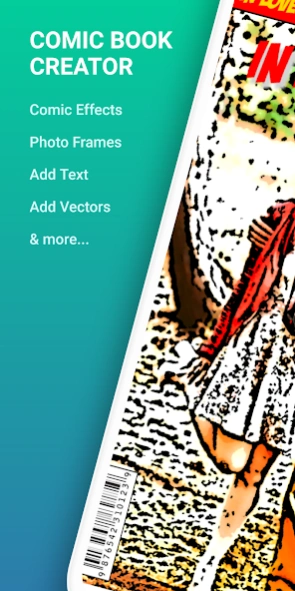


Comic book creator/comic maker with effects, animations and text elements.
Comic Book Creatorfor Android features awesome photo effects and filters for your images. This unique comic maker has the possibility to add photo frames, comic book elements like speech balloons, texts and more.
This is a complete
comic book maker
where you can create single page comic photos, grid collage comics or free-form type.
Pick the image from your gallery or use the build-in camera feature to take a new picture and use it to apply the filters.
Comic Book Creator
Features:
- Grid Collage, Free-Form Collage and Single Page: Single Page is great for creating comic book covers while the other 2 are more for creating comic book pages.
- Crop and rotate your images: before applying the filters, you have the possibility to crop the image to any height and width. Choose from the predefined aspect ratios or use the free one to move the handles to any position.
- Photo Effects: Apply high quality comic photo effects that include: cartoon, cartoon gray, cartoon color sketch, comic black and white, pop art, pencil sketch, superior toon filter, comic book filter, comic book filter black and white and a lot more.
- Frames: Over 30+ comic photo frames to pick. Unlock the pro version to unlock all photo frames.
- Comic book vectors: Great collection of image vectors that you can add to your comic book page.
Get the Pro version to unlock all vectors and stickers.
- Text on Image: Add text over the selected images. Pick the text size, font and color. And now with the new built-in text feature you can edit text elements, add outline and shadow, change the opacity and many other cool features.
- Adjustments: Only for single page comic maker, you can adjust the brightness, contrast and saturation.
This unique
comic maker is all you need to let you imagination go and create fantastic comic book covers or comic book pages.
Why Comic Book Creator?
- Super complete app.
- Amazing range of comic effects.
- Free App.
- Purchase additional comic assets by getting the pro version.
- Great for memes creation.
- Tons of speech balloons and vectors to add.
- Easy to “cartoon yourself”.
- Now “Photo to cartoon” made easy!
After editing the image, the last step is saving or sharing it. Locate the save or share buttons in the action bar and tap them. Saving it will create a special folder for "Comic Book Creator" edited images. If you decide to share it, available options include: Facebook, Whatsapp, Instagram, Email, MMS and many more.
More on how to create the perfect comics on our blog:
http://www.codeseedlabs.com/howto/
About Comic Book Creator
Comic Book Creator is a free app for Android published in the Screen Capture list of apps, part of Graphic Apps.
The company that develops Comic Book Creator is CodeSeed Labs. The latest version released by its developer is 1.10.9.
To install Comic Book Creator on your Android device, just click the green Continue To App button above to start the installation process. The app is listed on our website since 2022-12-23 and was downloaded 28 times. We have already checked if the download link is safe, however for your own protection we recommend that you scan the downloaded app with your antivirus. Your antivirus may detect the Comic Book Creator as malware as malware if the download link to com.codeseed.labs.comicbookcreator is broken.
The company that develops Comic Book Creator is CodeSeed Labs. The latest version released by its developer is 1.10.9.
To install Comic Book Creator on your Android device, just click the green Continue To App button above to start the installation process. The app is listed on our website since 2022-12-23 and was downloaded 28 times. We have already checked if the download link is safe, however for your own protection we recommend that you scan the downloaded app with your antivirus. Your antivirus may detect the Comic Book Creator as malware as malware if the download link to com.codeseed.labs.comicbookcreator is broken.
How to install Comic Book Creator on your Android device:
- Click on the Continue To App button on our website. This will redirect you to Google Play.
- Once the Comic Book Creator is shown in the Google Play listing of your Android device, you can start its download and installation. Tap on the Install button located below the search bar and to the right of the app icon.
- A pop-up window with the permissions required by Comic Book Creator will be shown. Click on Accept to continue the process.
- Comic Book Creator will be downloaded onto your device, displaying a progress. Once the download completes, the installation will start and you'll get a notification after the installation is finished.
Program Details
System requirements
Operating systems
Android
Download information
File size
N/A
Total downloads
28
Pricing
License model
Free
Price
Version History
Here you can find the changelog of Comic Book Creator since it was posted on our website on 2019-10-25. The latest version is 1.10.9 and it was updated on Soft112 on 08 October, 2026. See below the changes in each version:
version 1.10.9
posted on 2022-12-23
* New speech bubble vectors.
* 2 New comic effects.
* New emojis.
version 1.10.1
posted on 2022-03-06
Support for newer devices
version 1.9.13
posted on 2022-01-10
New comic photo frames.
Minor fixes.
version 1.9.11
posted on 2021-12-10
New set of black and white vectors.
Minos fixes.
version 1.9.10
posted on 2021-10-27
New vector assets for pro version users.
version 1.9.9
posted on 2021-09-21
New batch of comic fonts.
New batch of comic assets (bubbles and photo frames)
version 1.9.8
posted on 2021-08-05
Minor updates on the Free Form Comic creation screen.
New vectors and graphics.
version 1.9.7
posted on 2021-07-25
Minor updates
version 1.9.5
posted on 2020-09-08
7 new photo frames for free to use.
New collection of comic masks.
New collection of comic speech bubbles.
version 1.9.4
posted on 2020-08-10
4 new Comic book filters, including geometrics color blend and blue grunge.
New section of stickers.
